
A sophisticated web-based database management interface built with Node.js and vanilla JavaScript. This application provides an intuitive UI for querying, viewing, and editing MySQL database records while intelligently handling complex relationships including foreign keys and many-to-many joins.


💡 Core Philosophy
Business Logic in the Database, Not the UI
This application demonstrates a clean architectural principle: all business logic resides in the database schema (foreign keys, constraints, relationships), while the UI remains completely agnostic about specific tables or business rules.
The interface dynamically adapts to any database schema through:
- Schema introspection via MySQL’s INFORMATION_SCHEMA
- Dynamic relationship discovery using foreign key metadata
- Generic CRUD operations that work with any table structure
This means you can point the application at any properly-structured MySQL database, and it will automatically understand and present the data relationships without any code changes. The only exception is the tbl_user_facing_table_names table for display name customization.
🌟 Features
Intelligent Relationship Management
- Direct Foreign Key Detection: Automatically identifies and displays one-to-many relationships
- Many-to-Many Join Tables: Seamlessly handles complex relationships through join tables
- Automatic Join Table Recognition: Detects join tables by analyzing column structure
- Bidirectional Navigation: Navigate relationships in both directions from any table
Dynamic Database Interaction
- Schema Introspection: Real-time analysis of database structure, including tables, columns, types, and constraints
- Query Mode: Browse and filter data with an intuitive interface
- Edit Mode: Create, update, and delete records with validation
- Related Data Visualization: View all related records from foreign key relationships in a single interface
Reports System
- Database-Driven Reports: Configure reports entirely through database tables (
tbl_user_facing_reports) - Stored Procedure Integration: Execute any stored procedure as a report with dynamic parameters
- Pluggable Output Converters: Extensible architecture for adding new output formats (PDF, Excel, etc.)
- Format-Agnostic Frontend: UI adapts to report parameters without code changes
- See CONVERTER_ARCHITECTURE.md for details on the output format conversion system
Robust Error Handling
- Duplicate Entry Detection: User-friendly messages for constraint violations
- SQL Injection Prevention: Parameterized queries throughout
- Graceful Degradation: Informative error messages with detailed context
🛠 Technology Stack
Backend
- Node.js with ES6 modules
- Express.js for RESTful API
- MySQL2 with promise-based connection pooling
- CORS for cross-origin resource sharing
- dotenv for environment configuration
Frontend
- Vanilla JavaScript (ES6+)
- Axios for HTTP requests
- Custom Component Architecture with proxy-based data binding
- CSS3 for responsive layouts
Development Tools
- Jest for unit testing with Babel transpilation
- Nodemon for hot-reloading during development
- ESM module support
📸 Screenshots
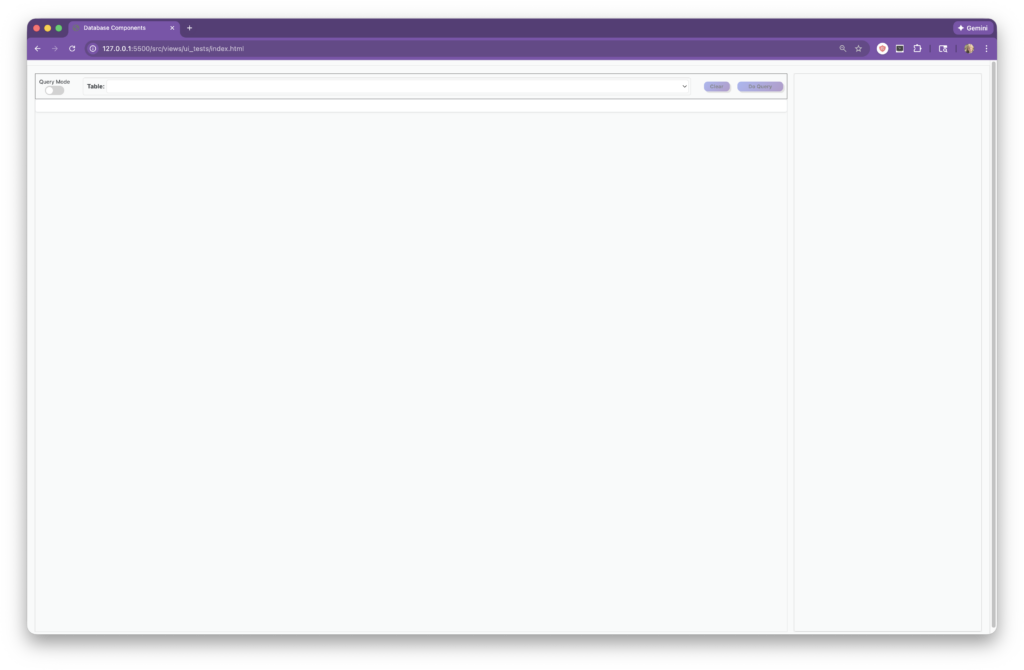
Clean Loading UI
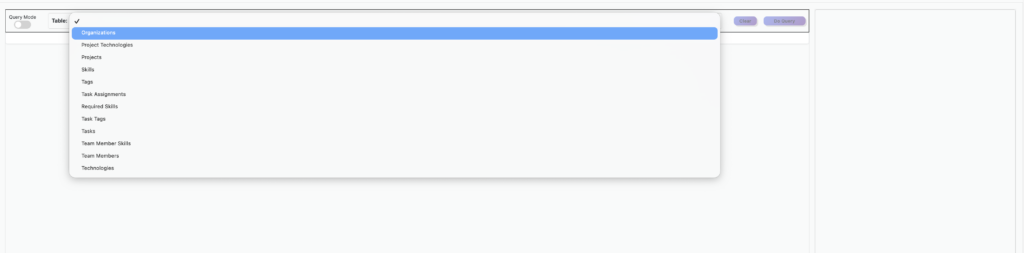
All tables available
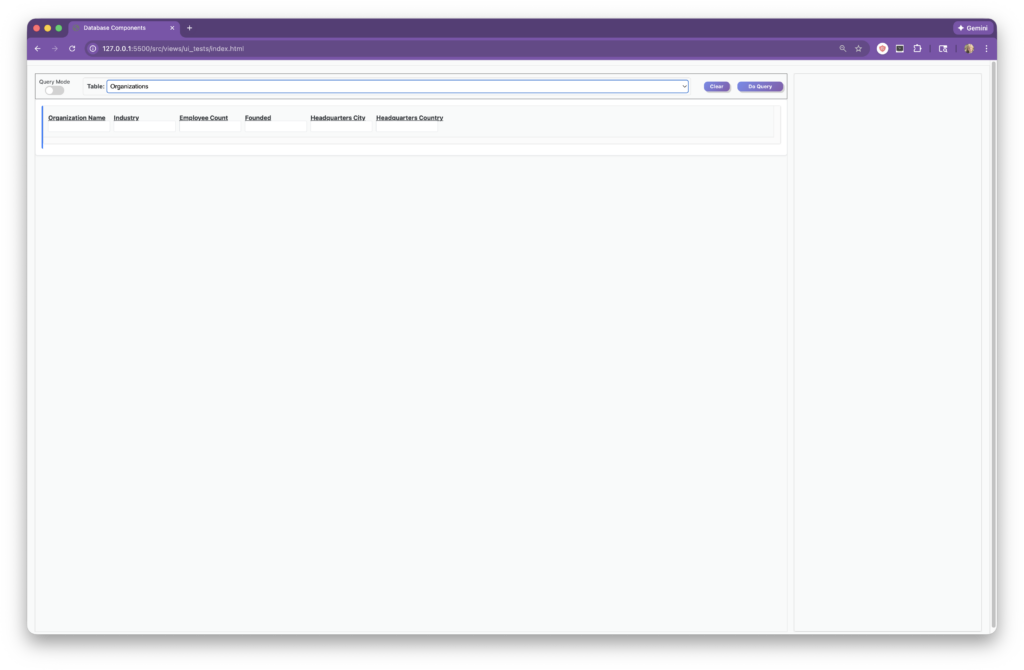
One UI for Query and Edit
Selections List for Easy Query/Edit
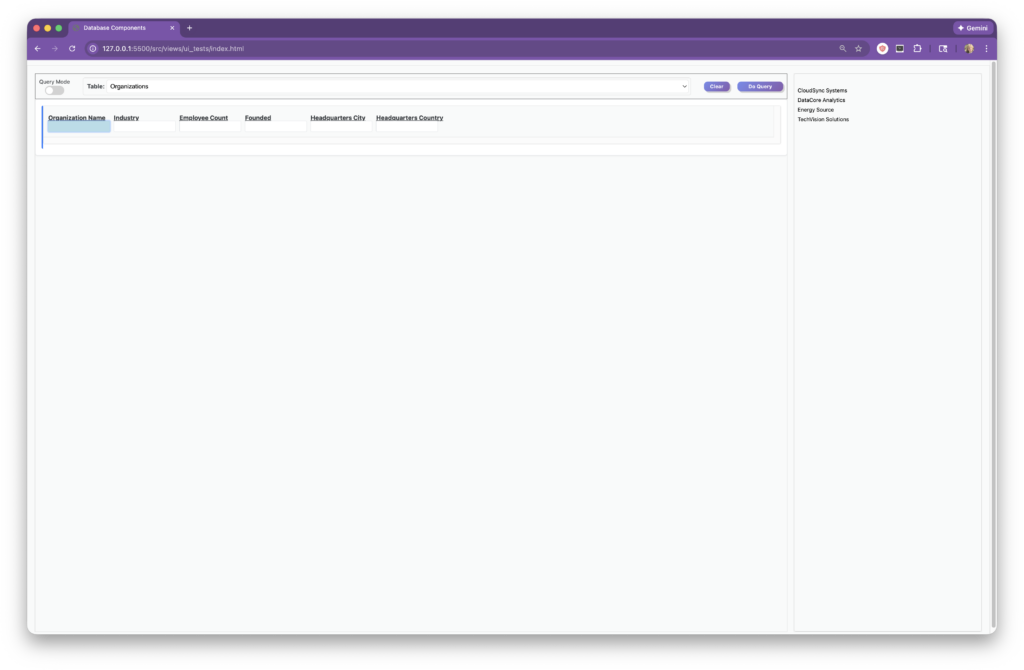
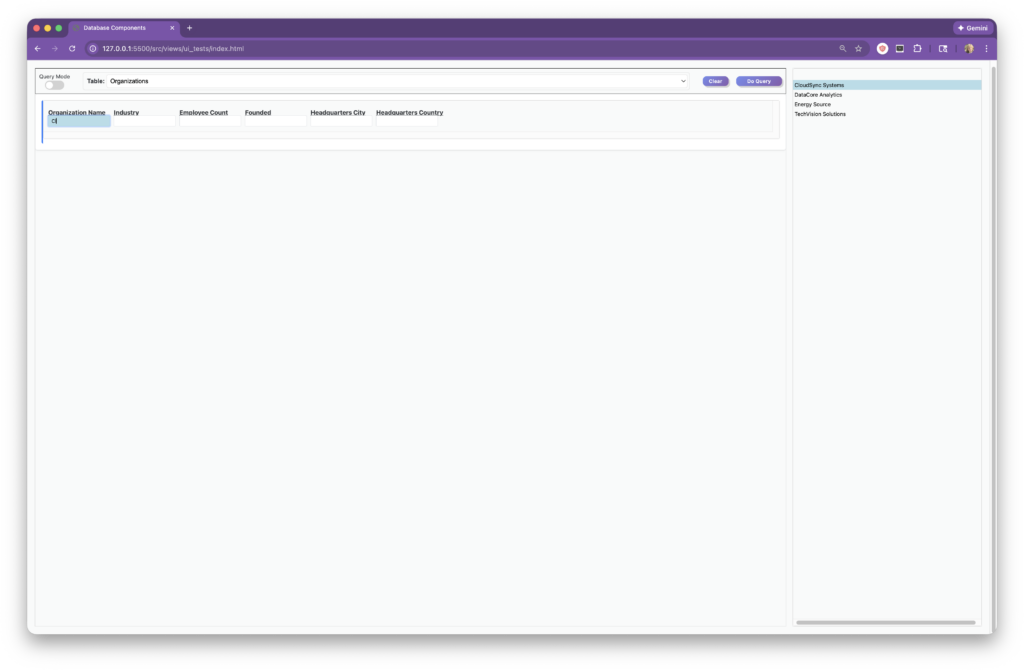
Selections List Responds to Your Input
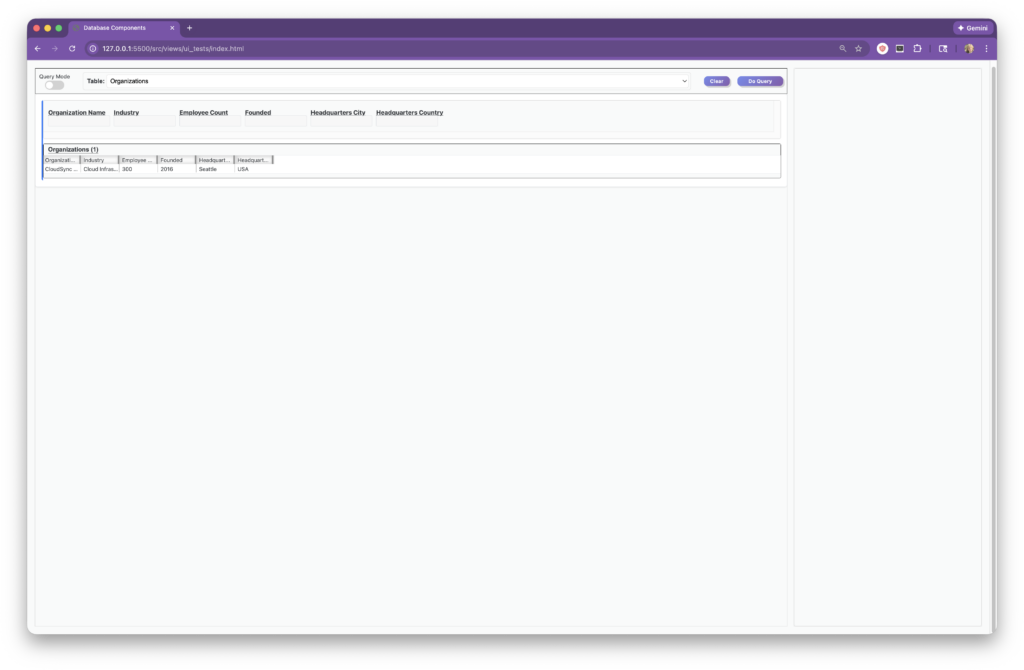
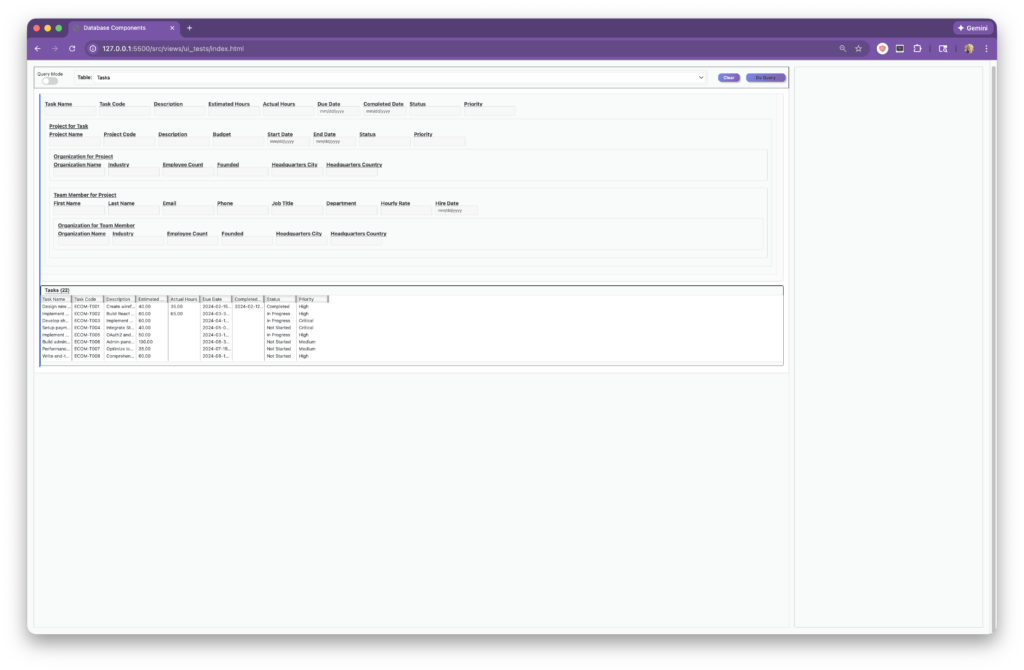
Query on a Single Selection to Filter Results…
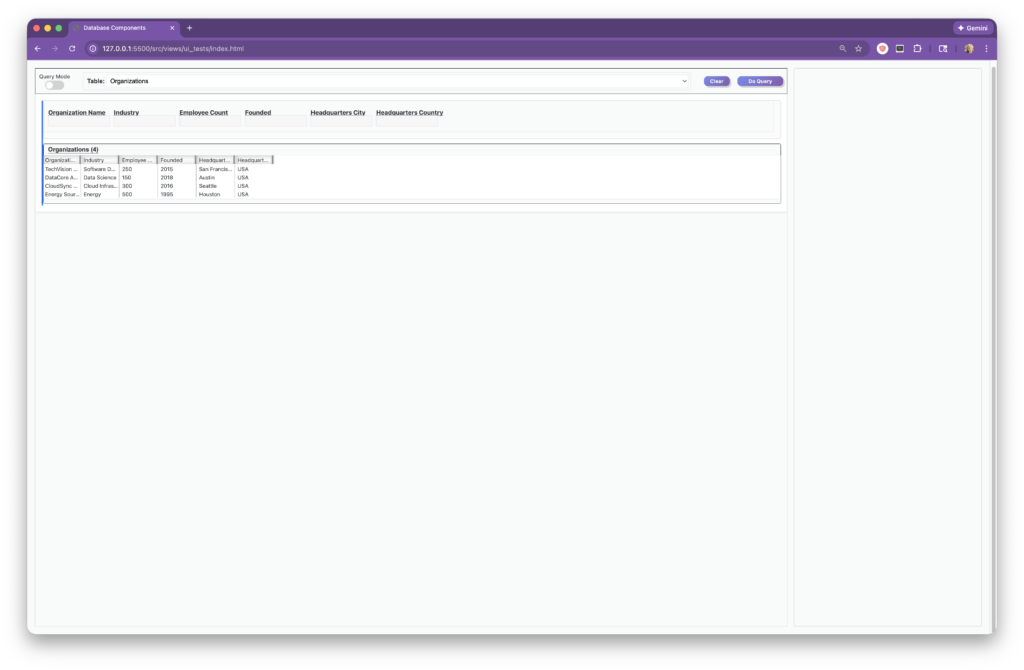
…Or Leave Fields Blank to Query for All Results
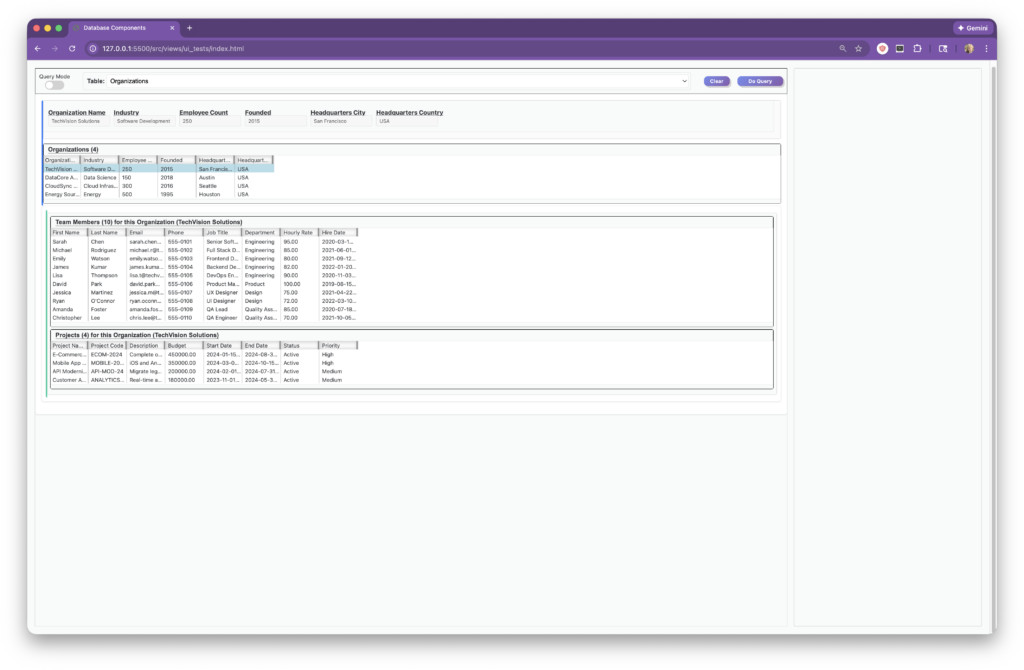
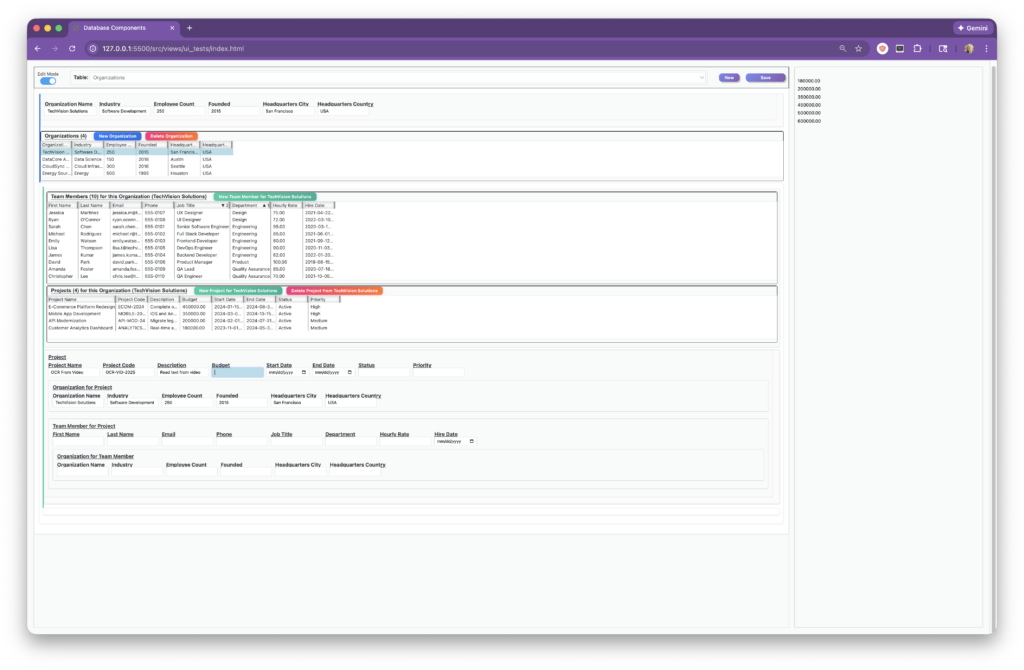
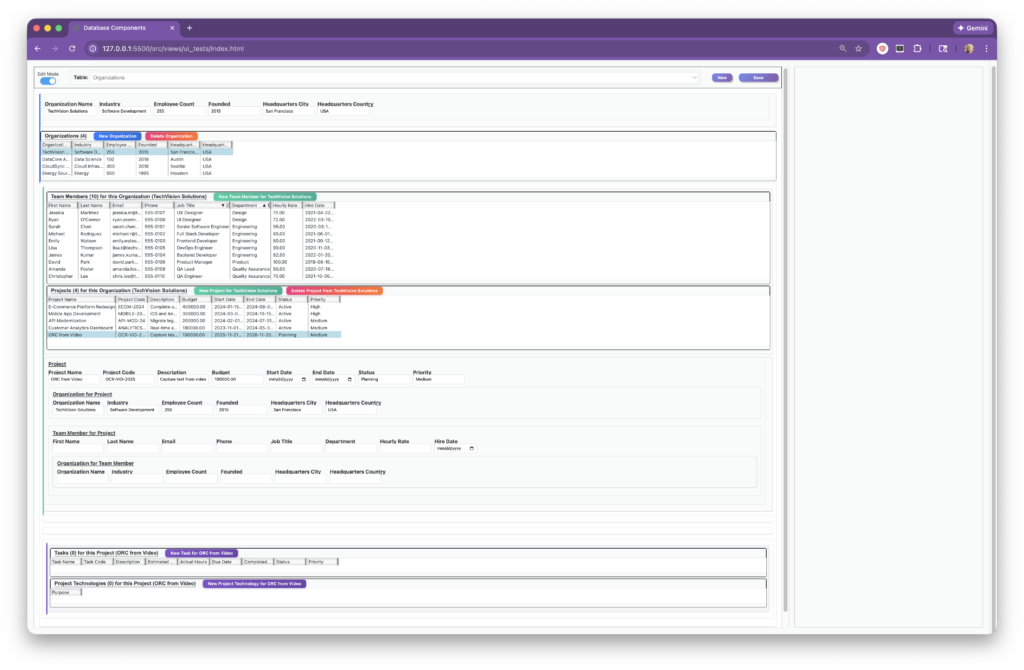
Dependent Table Relationships Shown in One Window
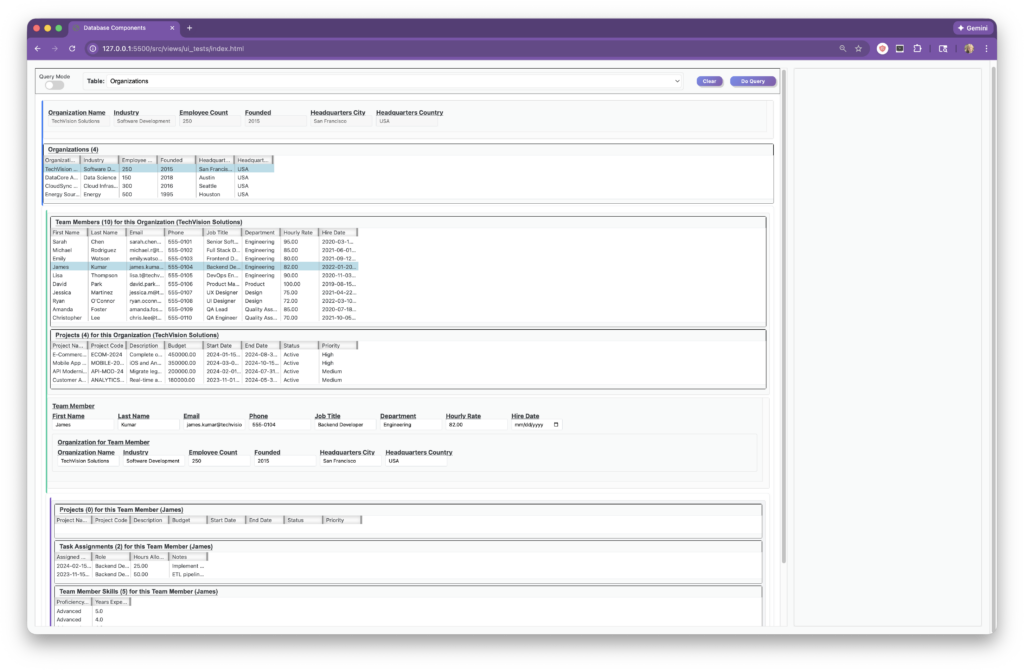
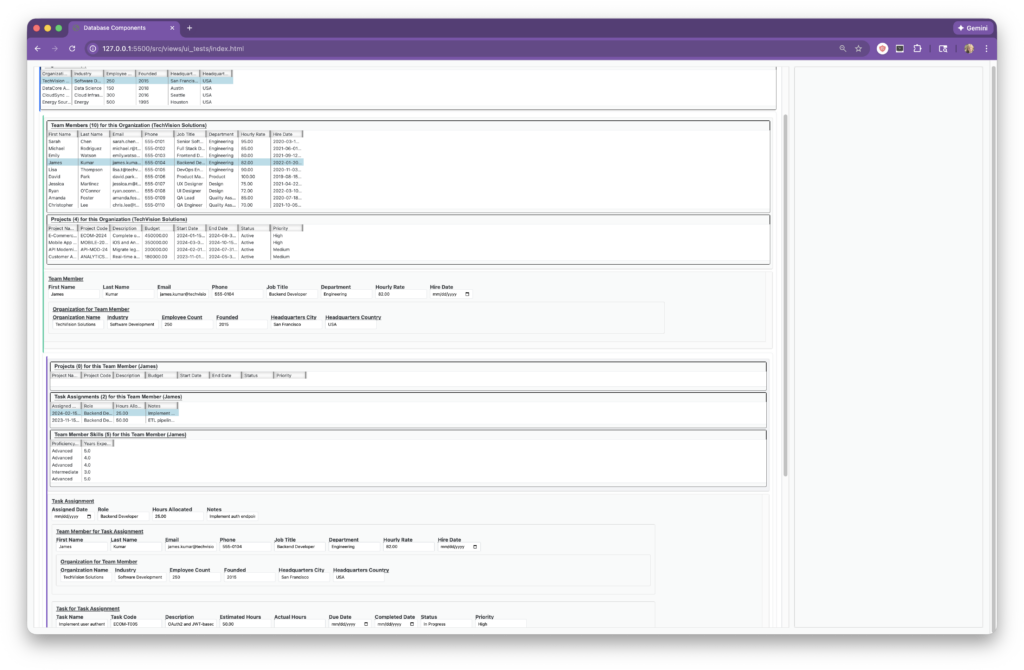
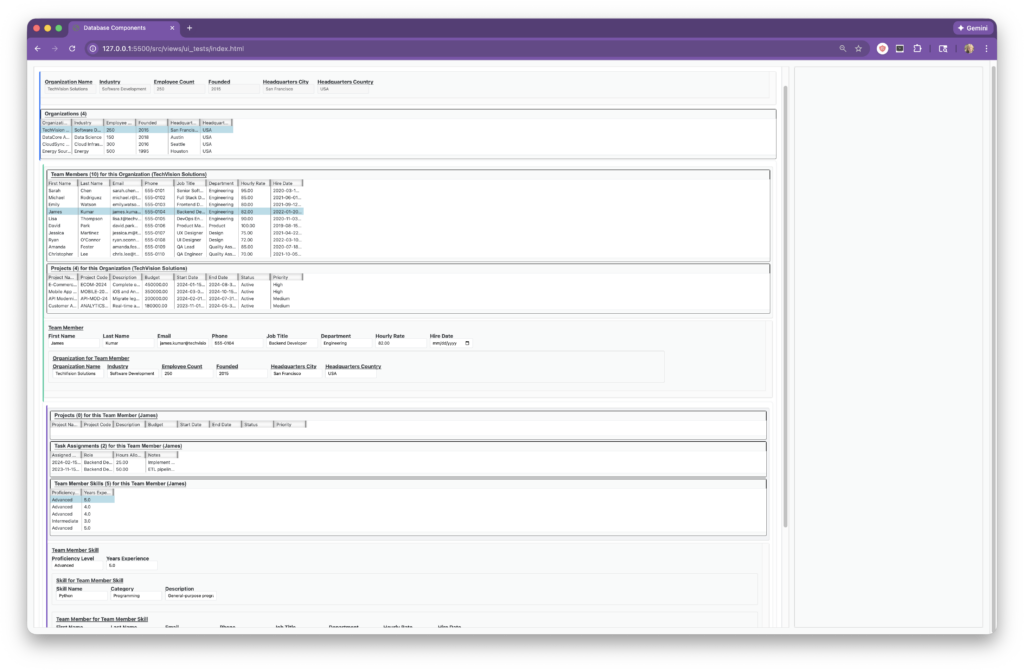
Multiple Layers of Nesting
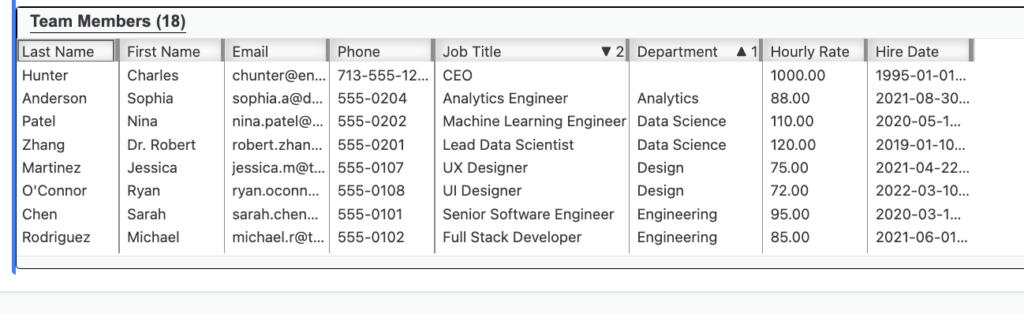
Immediate Interactive Sorts and Subsorts Right in the Results List
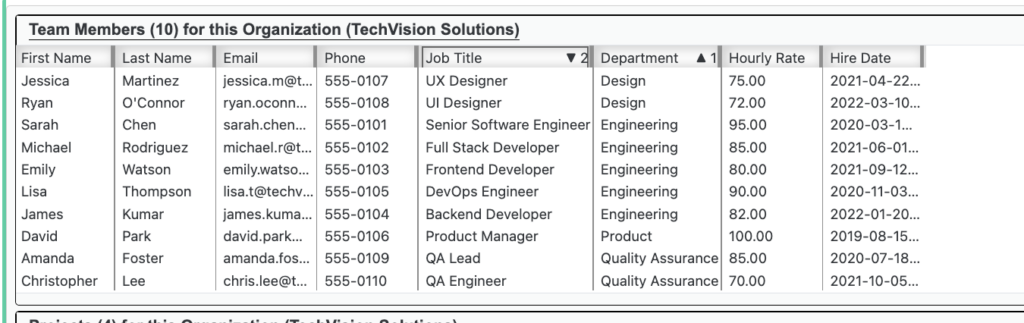
Reorder Columns with Easy Click and Drag
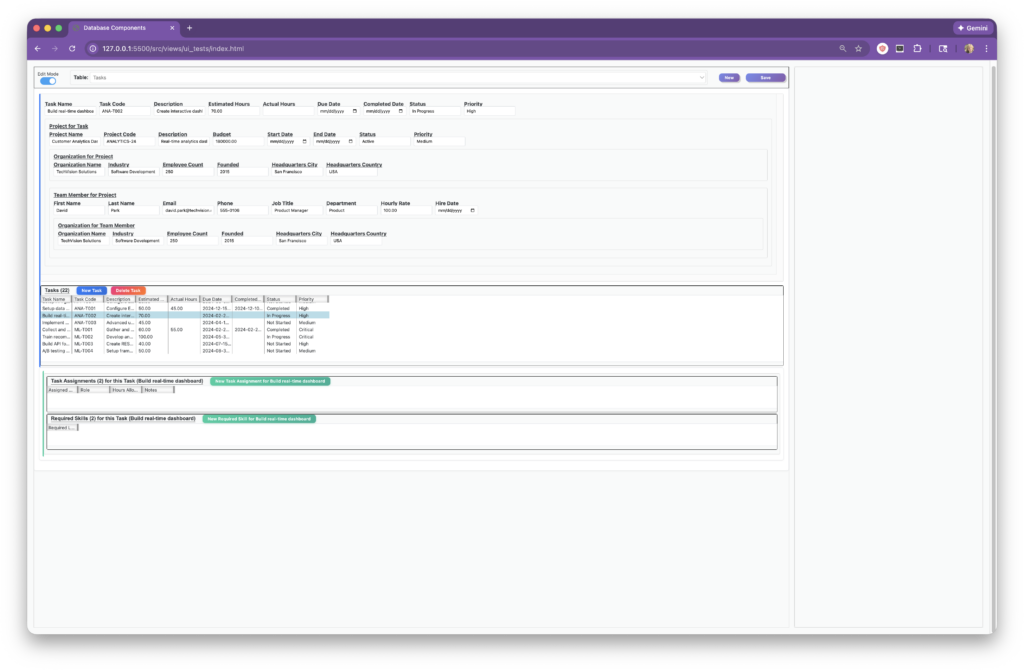
View and Edit in One Window by Toggling Between Query and Edit Modes
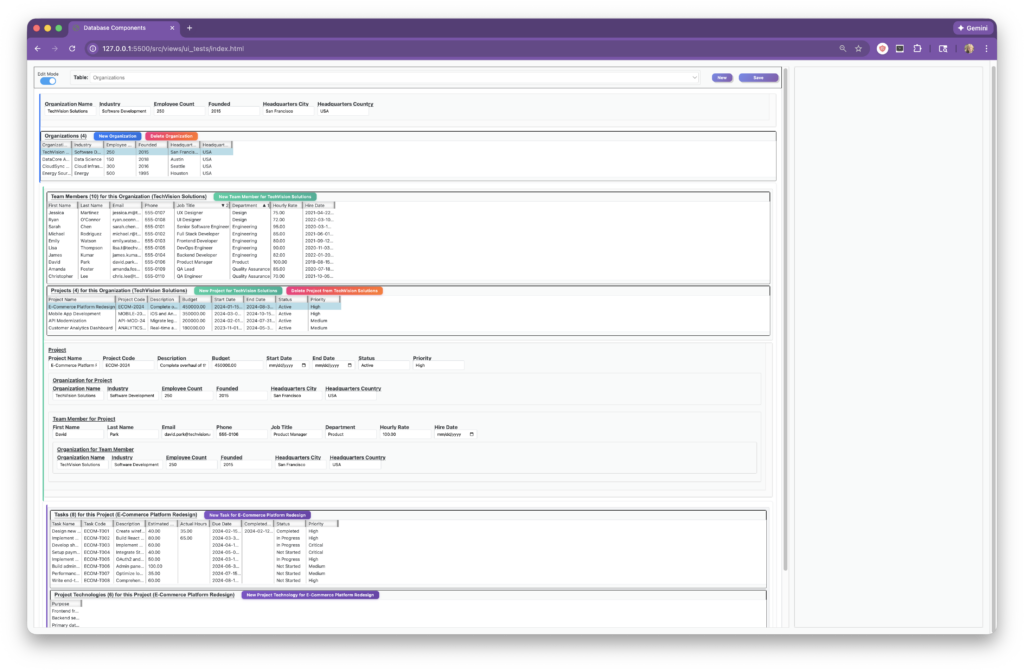
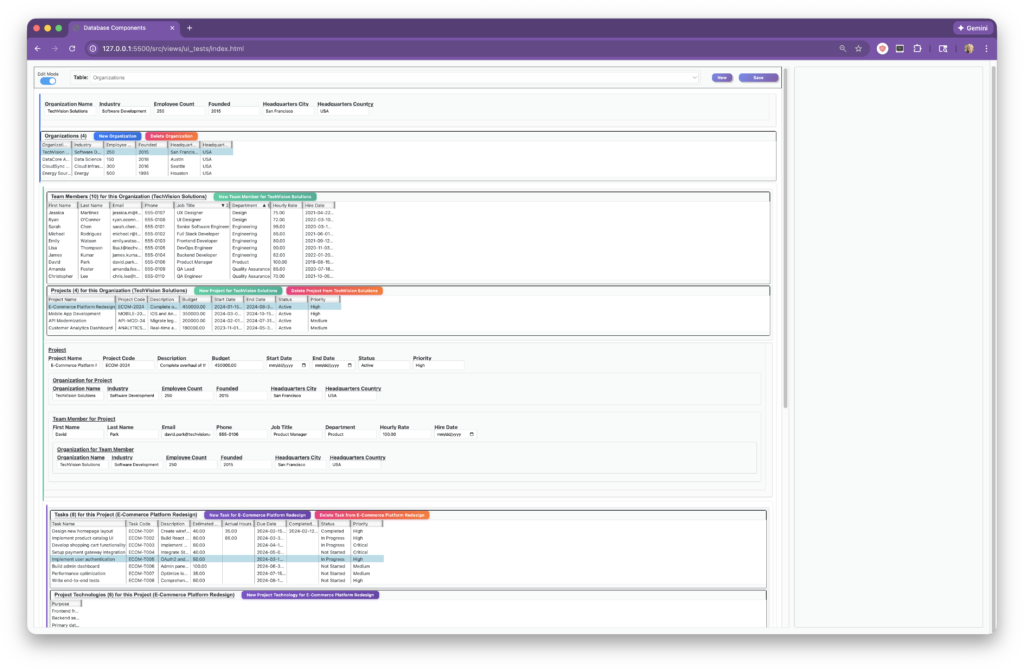
Create New Records in Edit Mode
View/Edit Any Table
📋 Prerequisites
- Node.js (v14 or higher)
- MySQL 8.0 or compatible database
- npm or yarn package manager
🚀 Getting Started
Installation
Clone the repository:
git clone https://github.com/yourusername/DatabaseComponents.git
cd DatabaseComponents
Install dependencies:
npm installConfigure environment variables:
cp .env.example .env
Edit .env with your database credentials:
DB_HOST=localhost
DB_PORT=3306
DB_USER=your_username
DB_PASSWORD=your_password
DB_NAME=your_database
DB_CONNECTION_LIMIT=10
- Set up the database table naming schema:
The application requires a special table to map internal table names to user-friendly display names and specify how to identify records. Create this table in your database:
CREATE TABLE tbl_user_facing_table_names (
  TableName VARCHAR(255) PRIMARY KEY,
  SingularUserFacingTableName VARCHAR(255),
  PluralUserFacingTableName VARCHAR(255),
  IdentifyingColumn VARCHAR(45),
  BackupIdentifyingColumn VARCHAR(45)
);
Column Descriptions:
- TableName: The actual database table name (e.g.,
tbl_persons) - SingularUserFacingTableName: User-friendly singular form (e.g., “person”)
- PluralUserFacingTableName: User-friendly plural form (e.g., “people”)
- IdentifyingColumn: The primary column to display when showing a record to users (e.g.,
PreferredFirstName) - BackupIdentifyingColumn: Fallback column if the primary is null (e.g.,
LegalFirstName)
Populate it with your table names (assumes tables are prefixed with tbl_):
node scripts/populateUserFacingTableNames.js
This script automatically converts table names like tbl_employees into user-friendly names:
- Singular: “employee”
- Plural: “employees”
You will have to manually change irregular plurals as needed. - Singular: “person”
- Plural: “people” instead of “persons”
Important: After running the script, you must manually set the IdentifyingColumn and BackupIdentifyingColumn for each table. For example:
UPDATE tbl_user_facing_table_names
SET IdentifyingColumn = 'PreferredFirstName',
    BackupIdentifyingColumn = 'LegalFirstName'
WHERE TableName = 'tbl_persons';

UPDATE tbl_user_facing_table_names
SET IdentifyingColumn = 'CompanyName',
    BackupIdentifyingColumn = NULL
WHERE TableName = 'tbl_companies';
These columns are used throughout the application to display user-friendly record identifiers in error messages, selections, and relationships.
- (Optional) Set up the Reports system:
The application includes a flexible reports system that executes stored procedures and formats output. To enable reports, create the tbl_user_facing_reports table:
CREATE TABLE tbl_user_facing_reports (
  ReportName VARCHAR(100) PRIMARY KEY,
  UserFacingReportName VARCHAR(200) NOT NULL,
  StoredProcedureName VARCHAR(100) NOT NULL,
  Description TEXT,
  Category VARCHAR(50),
  Parameters JSON,
  RequiresPermission TINYINT(1) DEFAULT 0,
  PermissionNote VARCHAR(255),
  SortOrder INT DEFAULT 0
);
Column Descriptions:
- ReportName: Internal identifier for the report
- UserFacingReportName: Display name shown to users
- StoredProcedureName: Name of the MySQL stored procedure to execute
- Description: Help text describing what the report does
- Category: Grouping for organizing reports in the UI
- Parameters: JSON object defining user-selectable parameters (format, filters, etc.)
- RequiresPermission: Whether this report requires special access
- PermissionNote: Description of required permissions
- SortOrder: Display order in the reports menu
For details on the reports architecture and how to add custom output formats, see CONVERTER_ARCHITECTURE.md.
- Start the development server:
npm run dev
The server will start on http://localhost:3000
Running Tests
npm test
Run a specific test file:
npx jest src/models/model_tests/DatabaseTableModel.test.js
🏗 Architecture
Server Layer
The server layer provides a clean separation between HTTP handling and database operations:
Server.js (Express setup)
    ↓
RoutesClass.js (API routing)
    ↓
TableController.js (Request handling)
    ↓
DatabaseServer.js (MySQL operations)
Key capabilities:
- Connection pooling for optimal performance
- Schema introspection via INFORMATION_SCHEMA queries
- Complex JOIN operations for relationship traversal
- Transaction support for data integrity
Model Layer
Models represent database entities with rich behavior:
- DatabaseTableModel: Complete table representation with metadata
- DatabaseRow: Individual record with proxy-based column access
- IndirectReference: Encapsulates three-table many-to-many relationships
- Specialized Row Types:
DatabaseNewRowfor unsaved recordsDatabaseIndirectRowfor join table relationships
View Layer
Component-based UI architecture:
- DatabaseWindow: Top-level application container
- DataPane: Primary interface for viewing/editing records
- ResultsList: Scrollable list of query results
- FieldPane: Dynamic form generation based on column types
- RelatedResultsListsPane: Displays data from related tables
Design Patterns
Singleton Pattern: DatabaseAPI ensures single Axios instance
Factory Pattern: DatabaseTableModel factory methods for different query scenarios
Proxy Pattern: DatabaseRow uses JavaScript Proxy for dynamic property access
Observer Pattern: Component callbacks for state changes
📚 API Documentation
Core Endpoints
GET    /api/tables/:tableName/data
GET    /api/tables/:tableName/columnNames
GET    /api/tables/:tableName/columnTypes
GET    /api/tables/:tableName/primaryKey
GET    /api/tables/:tableName/dataWhere?column=value
GET    /api/tables/:tableName/:primaryKey/directReferences
GET    /api/tables/:tableName/:primaryKey/indirectReferences
PUT    /api/tables/:tableName/updateRecord
POST   /api/tables/:tableName/newRecord
DELETE /api/tables/:tableName/deleteRecord
Example: Querying with Relationships
// Get all employees
GET /api/tables/employees/data

// Get employee's direct reports (one-to-many)
GET /api/tables/employees/manager_id/directReferences

// Get employee's projects (many-to-many via join table)
GET /api/tables/employees/employee_id/indirectReferences
🎯 Key Features in Detail
Schema-Driven, Database-Agnostic Architecture
The most distinctive feature of this application is its complete separation of concerns: the UI knows nothing about your specific business logic.
How it works:
- No hardcoded table knowledge: The application never hardcodes table names, column names, or business rules
- Dynamic schema discovery: On startup, the system queries INFORMATION_SCHEMA to understand your database structure
- Relationship inference: Foreign keys define relationships—the UI automatically discovers and presents them
- Constraint enforcement: Business rules (uniqueness, required fields, data types) are enforced by the database, not the application code
Example:
// This code works with ANY table in your database:
const model = await DatabaseTableModel.fromTableNamed(tableName);
// Automatically discovers: columns, types, primary key, foreign keys, relationships
Benefits:
- Zero configuration: Point it at a new database, and it just works
- Maintainability: Business logic changes only require database schema updates
- Reusability: The same codebase works for completely different domains (HR, inventory, CRM, etc.)
- Data integrity: Constraints in the database guarantee consistency across all access methods
This architecture demonstrates a fundamental principle: let the database do what databases do best (enforce structure and relationships), while the UI focuses purely on presentation and user interaction.
Automatic Join Table Detection
The system automatically identifies join tables by analyzing whether all columns are foreign keys:
async hasOnlyForeignKeyColumns(tableName) {
  const columnNames = await this.getColumnNames(tableName);
  const foreignKeyColumns = await this.getForeignKeyColumns(tableName);
  return columnNames.length === foreignKeyColumns.length;
}
Indirect Reference Management
The IndirectReference class elegantly handles the complexity of many-to-many relationships:
// Example: employees ↔ employees_to_projects ↔ projects
const reference = new IndirectReference(
  { name: 'employees', key: 'employee_id', value: 42 },
  { name: 'employees_to_projects', originTableKey: 'emp_id', indirectTableKey: 'proj_id' },
  { name: 'projects', key: 'project_id' }
);
Dynamic Row State Management
Different row classes handle different lifecycle states:
// Existing row - updates via PUT
const row = new DatabaseRow(data, tableModel);
await row.saveWithData(updates);

// New row - creates via POST
const newRow = new DatabaseNewRow(data, tableModel);
await newRow.saveWithData(data);
🧪 Testing
The project includes comprehensive unit tests for models:
// Example test structure
test('DatabaseTableModel loads with correct structure', async () => {
  const model = await DatabaseTableModel.fromTableNamed('employees');
  expect(model.primaryKey).toBeDefined();
  expect(model.rows.length).toBeGreaterThan(0);
});
🔐 Security Considerations
- Parameterized Queries: All SQL queries use placeholders to prevent injection
- Input Validation: Middleware validates table and column names against schema
- Error Sanitization: Database errors are sanitized before client exposure
- Environment Variables: Sensitive credentials stored outside codebase
🚧 Future Enhancements
- [ ] Add support for composite primary keys
- [ ] Implement advanced filtering and sorting
- [x] Reports system with stored procedures
- [x] Pluggable output format converters (PDF, Excel)
- [ ] Implement user authentication and authorization
- [ ] Create visual relationship diagram generator
- [ ] Add real-time collaborative editing
- [ ] Enhanced PDF formatting with custom styling
📖 Documentation
- CLAUDE.md – Detailed architecture documentation and development guidelines
- CONVERTER_ARCHITECTURE.md – Reports system and output format conversion architecture
🤝 Contributing
This is a private, proprietary project under active development by the author. Contributions are not currently being accepted from the public. If you are a potential collaborator or employer and would like to discuss this project further, please reach out directly.
📄 License
This code is proprietary and not licensed for public or commercial use without explicit written permission from the author.
👤 Author
Sigrid E. Mortensen
- GitHub: https://github.com/SigridM
- LinkedIn: https://www.linkedin.com/in/sigridmortensen/
🙏 Acknowledgments
- Built with modern JavaScript ES6+ features
- Inspired by enterprise database management tools
- Uses MySQL’s INFORMATION_SCHEMA for dynamic schema discovery
⭐ If you find this project useful, please consider giving it a star!